

ServiceNow Connector Pro
Enterprise Integration
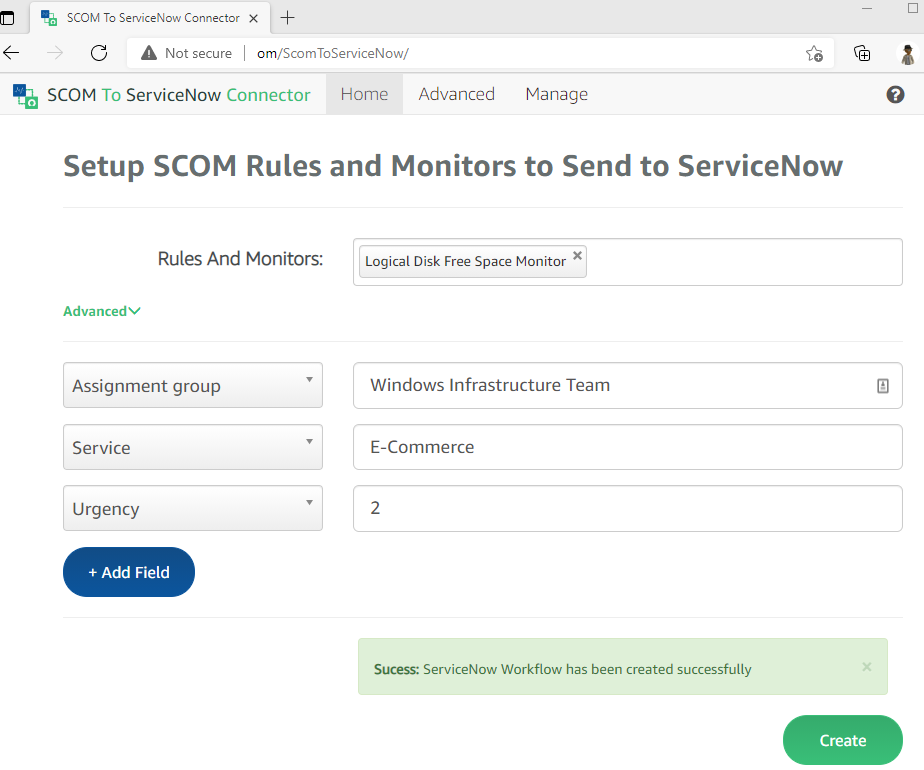
Select the SCOM monitors and rules you want to send to ServiceNow. All future alerts from those monitors or rules will automatically create incidents in ServiceNow.
Purpose-Built SCOM to ServiceNow Integration
Select the SCOM monitor or rule you want to send to ServiceNow — all future alerts from that monitor or rule will be sent automatically. No complex configuration, no extra ServiceNow tables required.
Features
- Easy to use — select a SCOM monitor or rule, and all future alerts are sent to ServiceNow automatically
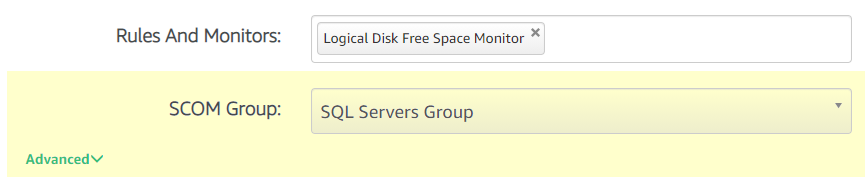
- Group-based routing — send alerts from SCOM groups to specific ServiceNow assignment groups (e.g., SQL team disk alerts to the SQL queue, Exchange alerts to the Exchange queue)
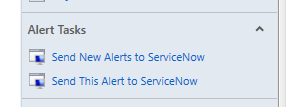
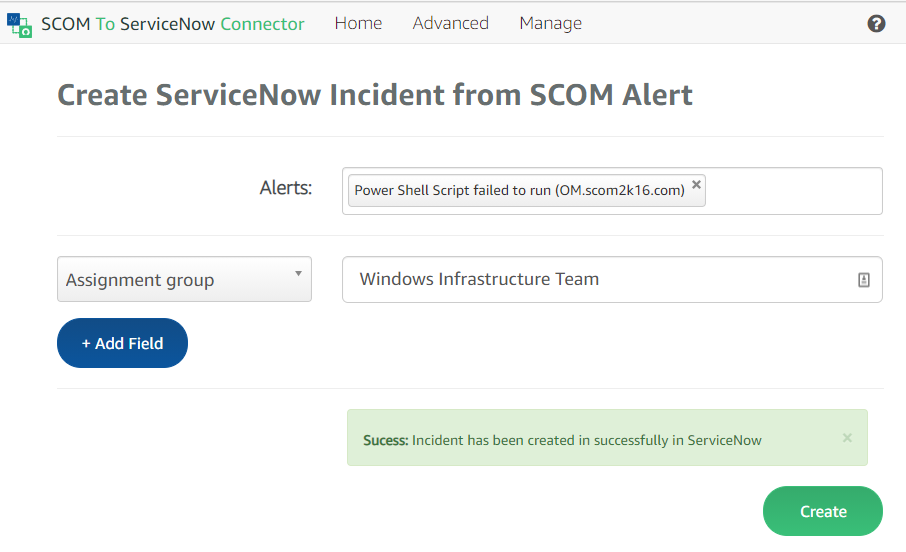
- SCOM console tasks — select any alert in SCOM and instantly send it to ServiceNow, or identify the monitor/rule to send all future alerts
- Save money — no extra ServiceNow tables required to filter SCOM alerts
Benefits
- Reduce MTTR — automated incident creation eliminates manual triage delays
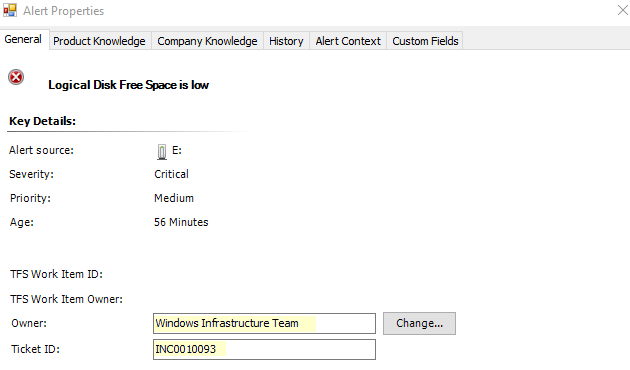
- Improve visibility — SCOM alerts include the ServiceNow ticket ID and assignment group owner
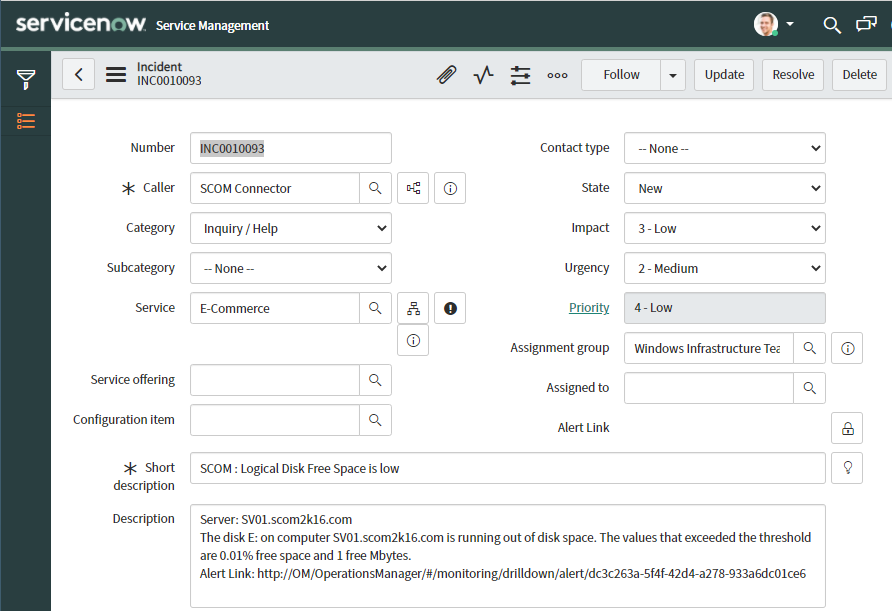
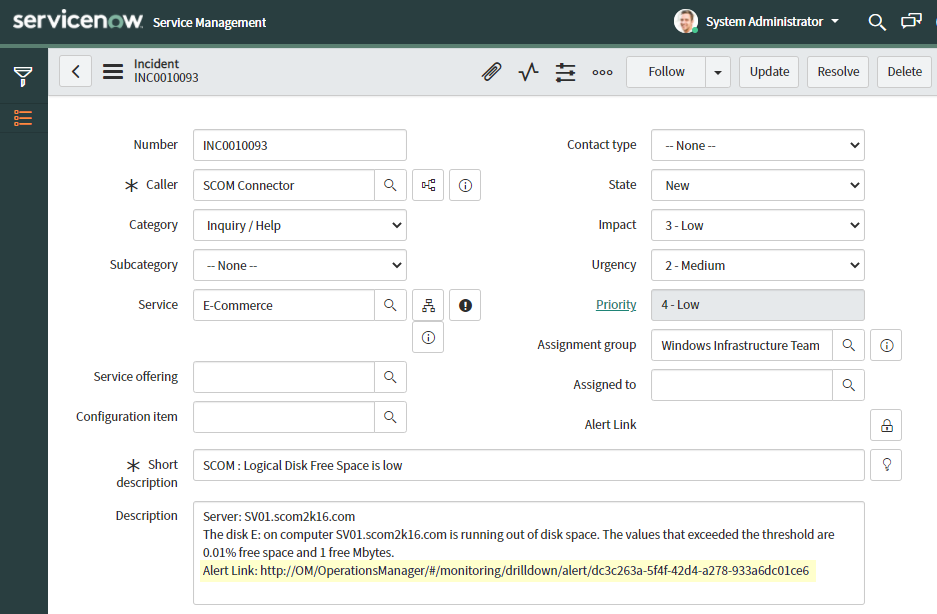
- Web console links — ServiceNow incidents include a link back to the SCOM web console
- Enterprise support — dedicated support from SCOM integration specialists
How It Works
1. Select Monitors or Rules
Choose which SCOM monitors or rules should create ServiceNow incidents. All future alerts from those monitors will be sent automatically.
2. Incidents Created Automatically
When a matching alert fires in SCOM, the connector creates a ServiceNow incident with full alert context, including the SCOM web console link in the description.
3. Route by SCOM Group
Send alerts based on SCOM groups to specific ServiceNow assignment groups. For example, disk space alerts from SQL servers go to the SQL team's queue, while Exchange server alerts go to the Exchange team.
4. SCOM Console Tasks
Right-click any alert in the SCOM Console and instantly send it to ServiceNow. Quickly identify the rule or monitor that created the alert and configure it for automatic forwarding.
5. Ticket ID in SCOM
SCOM alerts sent to ServiceNow automatically get the ServiceNow ticket ID and the owner is set to the assignment group. Your NOC team can see at a glance which alerts have been ticketed.
6. Web Console Link in ServiceNow
Incidents in ServiceNow include the SCOM web console link in the description, so engineers can jump directly to the alert in SCOM without searching.
Key Features
Automated Incidents
Create and update ServiceNow incidents automatically from SCOM alerts with full context and assignment group routing.
Alert Enrichment
Incidents include SCOM web console links, alert context, and custom fields for faster resolution.
Lifecycle Management
Full incident lifecycle support from creation through resolution, with bidirectional state synchronization.
SCOM Console Integration
Right-click tasks let you send any alert to ServiceNow instantly, or configure automatic forwarding for a rule/monitor.
System Requirements
File Size
18 MB
Requirements
SCOM 2016+
Trial Period
30 Days
Ready to Get Started?
Download your free 30-day trial and start automating SCOM-to-ServiceNow incident management today.